
June 29, 2022
Enter the store from your smartphone
When it is your reservation time, please enter using the following steps. There are three ways to enter: whereby, Jitsi, and Bizmee. Please check the entry URL provided in your email.
■How to enter using whereby
Step ①

Click on the entry URL provided in your order confirmation email.
Step ②
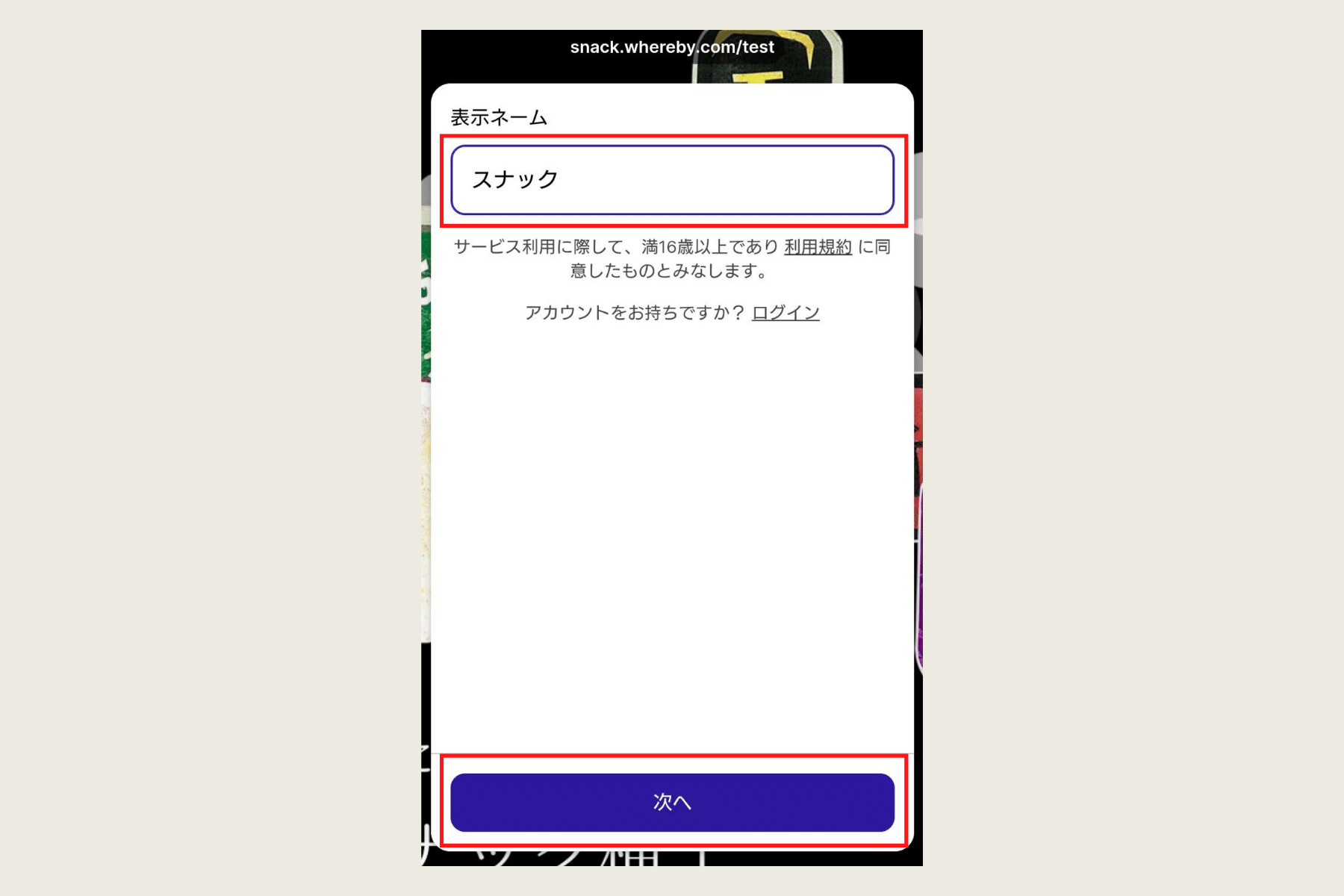
Enter the name for entry and click Next.
Step ③

Click "Request Permission."
Step ④

Allow camera and microphone access. (This step will be skipped from the second time onwards.)
Step ⑤

Turn on the microphone and screen.
■How to enter using Jitsi
Step ①

Click on the entry URL provided in your order confirmation email.
Step ②

Click "Launch web version."
Step ③

Click the "Allow" button to permit camera and microphone usage.
Step ④

Confirm that the camera and microphone are on.
Step ⑤

Enter your nickname or name and click "Join meeting."